SyncMuse vs Dropbox vs Splice: Studio Comparison
A practical comparison of SyncMuse, Dropbox/Google Drive, and Splice for remote music collaboration. See which tool fits your studio workflow, from feedback to version history.
Shot from the SyncMuse community
Remote collaboration shouldn’t feel like a scavenger hunt through “Final_Final_v6.wav.” If you ask five producers how they collaborate, you’ll get five different answers and a groan. Most teams end up with a patchwork: Dropbox or Google Drive for storage, email or WhatsApp for feedback, and Splice for samples.
But a generic file folder isn’t built for the complexity of DAW projects. It’s like mixing with faders taped down: possible, but painful.
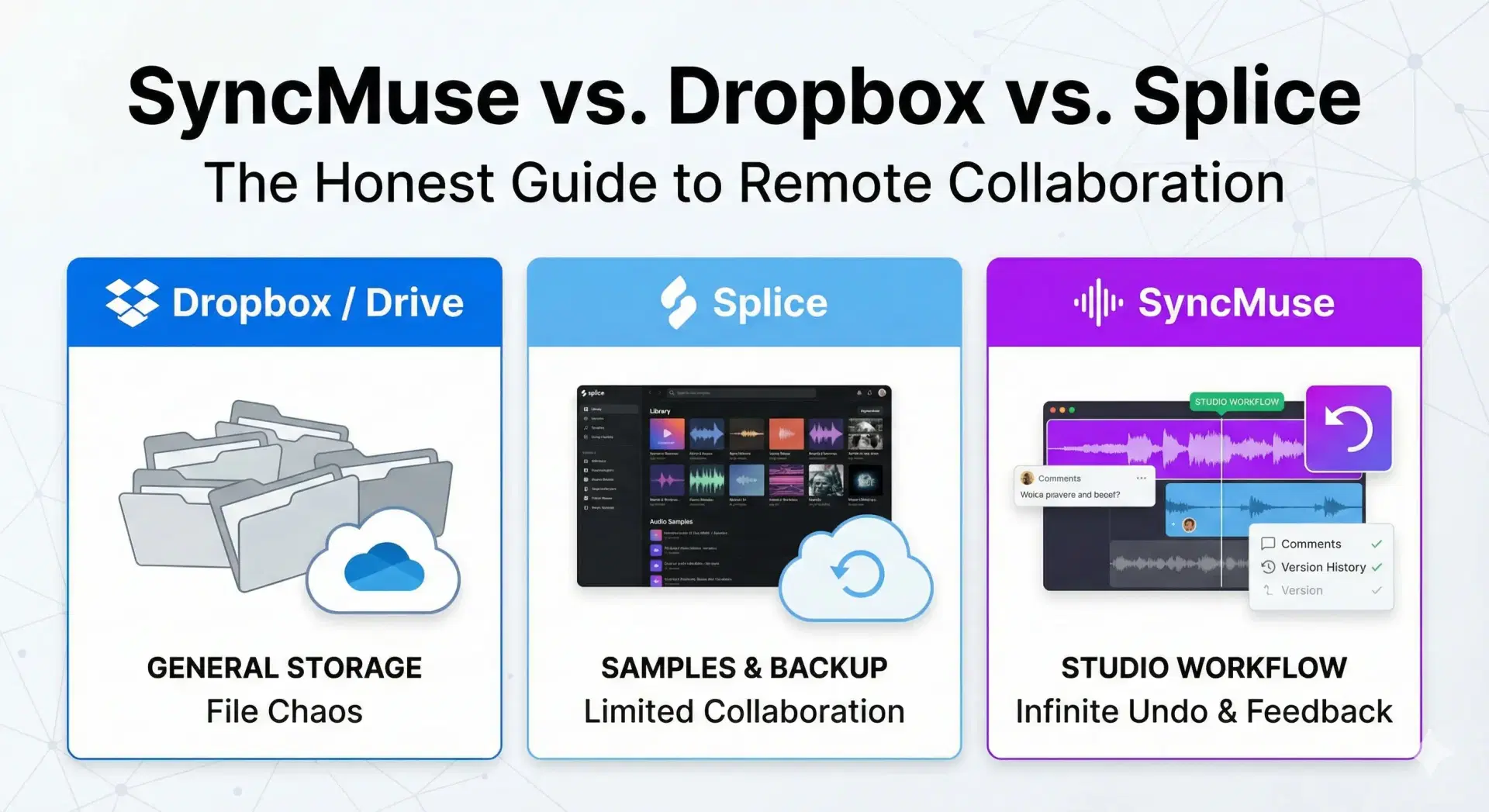
This guide breaks down the three main approaches to collaboration so you can choose what actually keeps your creative flow moving:
- The Generalist (Dropbox/Google Drive)
- The Library (Splice)
- The Specialist (SyncMuse)
Quick answer: which tool is best for your studio workflow?
- Choose Dropbox/Google Drive if you just need reliable storage and simple file delivery.
- Choose Splice if your workflow starts with sound discovery and you want cloud backups.
- Choose SyncMuse if you’re actively collaborating on mixes, revisions, and feedback in real time.
1. Dropbox / Google Drive: the generalists
Best for: archiving finished projects, sending final masters to clients, storing contracts.
They’re everywhere, reliable, and you probably already have an account. But for active production, they have blind spots.
The good
- Ubiquity: everyone knows how to use a shared folder.
- Integration: it lives right inside Finder or Explorer like a normal hard drive.
The bad
- The “Final_Final” nightmare: a song evolves, but these tools only see files. You end up with Mix_v3_REAL_FINAL_v2.wav just to track what’s new.
- No musical context: you can’t pin a note at 2:13. Feedback becomes a separate email or chat thread.
- Sync conflicts: open the same session file at once and you risk “Conflicted copy” chaos.
Verdict: essential for storage, painful for creating together.
2. Splice: the sample giant
Best for: finding the perfect kick, backing up personal projects, and producers who live inside the Splice ecosystem.
Splice changed the game with millions of sounds and cloud backup for major DAWs. But collaboration features are secondary to its store.
The good
- Sample heaven: if your workflow starts in Splice Sounds, having everything in one app is a win.
- Cloud safety: project backups protect you from a hard drive crash.
The bad
- Focus on sounds, not songs: collaboration feels like an add-on, not the core experience.
- Plugin headaches: it won’t solve “I don’t have that synth you used.”
- Limited feedback loops: it’s closer to a backup utility than a shared workspace for mix iteration.
Verdict: the king of samples, but often short as a dedicated team workspace.
3. SyncMuse: the specialist
Best for: producers, bands, and mix engineers who need an "infinite undo" button for collaboration.
We built SyncMuse because we were tired of the scavenger hunt across email threads and lost folders. It’s designed for the messy reality of DAW projects, stems, and revisions.
The good
- Automatic project history: a time machine for your tracks. Upload a new version and SyncMuse keeps the old one safe. Roll back instantly without renaming files.
- Pinpoint feedback: leave comments directly on the waveform (“too muddy here” at 1:45). Click the comment, jump to the exact spot.
- DAW agnostic: works with Pro Tools, Reaper, FL Studio, Logic, Ableton, and more. We don't force you into a browser DAW.
- Secure listening links: share expiring review links so clients can listen and comment without downloading huge files.
The bad
- It’s new: we don’t have Dropbox’s size or Splice’s store. We do collaboration extremely well.
Verdict: the dedicated tool for active music creation and review.
Feature comparison at a glance
| Feature | Dropbox / Drive | Splice | SyncMuse |
|---|---|---|---|
| Primary focus | General file storage | Samples & backup | Studio workflow collaboration |
| Project history | Manual (rename files) | Auto-sync (backup) | Dedicated track history |
| Feedback | None (email/chat) | Limited | Notes on waveform |
| Audio preview | Basic player | Yes | High-res streaming |
| Client sharing | Public links | Account required | Secure guest links |
| DAW integration | None | Backup sync | Workflow-centric |
How to choose the right tool for remote music collaboration
Ask yourself these three questions:
- Are you mostly storing files or actively iterating on mixes?
- Do you need feedback tied to exact timestamps?
- Are you collaborating with clients who don’t use your DAW or tools?
If you answer “yes” to #2 or #3, a specialist tool like SyncMuse will save hours of back-and-forth.
SEO-friendly use cases (so you can find this later)
- Best tool for sharing DAW projects remotely: SyncMuse
- Best tool for music production file storage: Dropbox/Drive
- Best tool for samples and sound discovery: Splice
- Best tool for client mix approvals: SyncMuse
FAQ: SyncMuse vs. Dropbox vs. Splice
Final verdict: which one fits your studio workflow?
- Use Dropbox/Drive if you just need to send a zip of stems to someone you won’t hear from for a month.
- Use Splice if you want to back up projects while browsing for a new snare.
- Use SyncMuse if you’re actively collaborating, trading mixes, and need precise feedback without losing your mind.
Ready to stop renaming files "Final_v4"? Try SyncMuse for free and experience the workflow built for producers, not accountants.
For a deeper dive into building an effective collaboration system, check out our guide to the ultimate music producer collaboration workflow.
Related articles
Apr 1, 2026
How to Share a Mix for Feedback (Without the Back-and-Forth Hell)
Stop losing context when you share mixes for review. Compare the best ways to send tracks to collaborators and clients, from private SoundCloud links to purpose-built review tools.
Read moreNov 11, 2025
SyncMuse Launches: Remote Music Collaboration
SyncMuse is officially live! The revolutionary platform for remote music collaboration with version control, DAW integration, and time-stamped feedback for artists, producers, and engineers.
Read moreSep 30, 2025
Ultimate Music Producer Collaboration Workflow
Master the perfect music producer collaboration workflow with proven strategies, tools, and techniques. Transform chaotic remote sessions into seamless creative partnerships that produce hit records.
Read more