
Stop listening to 6 exports to find the right one.
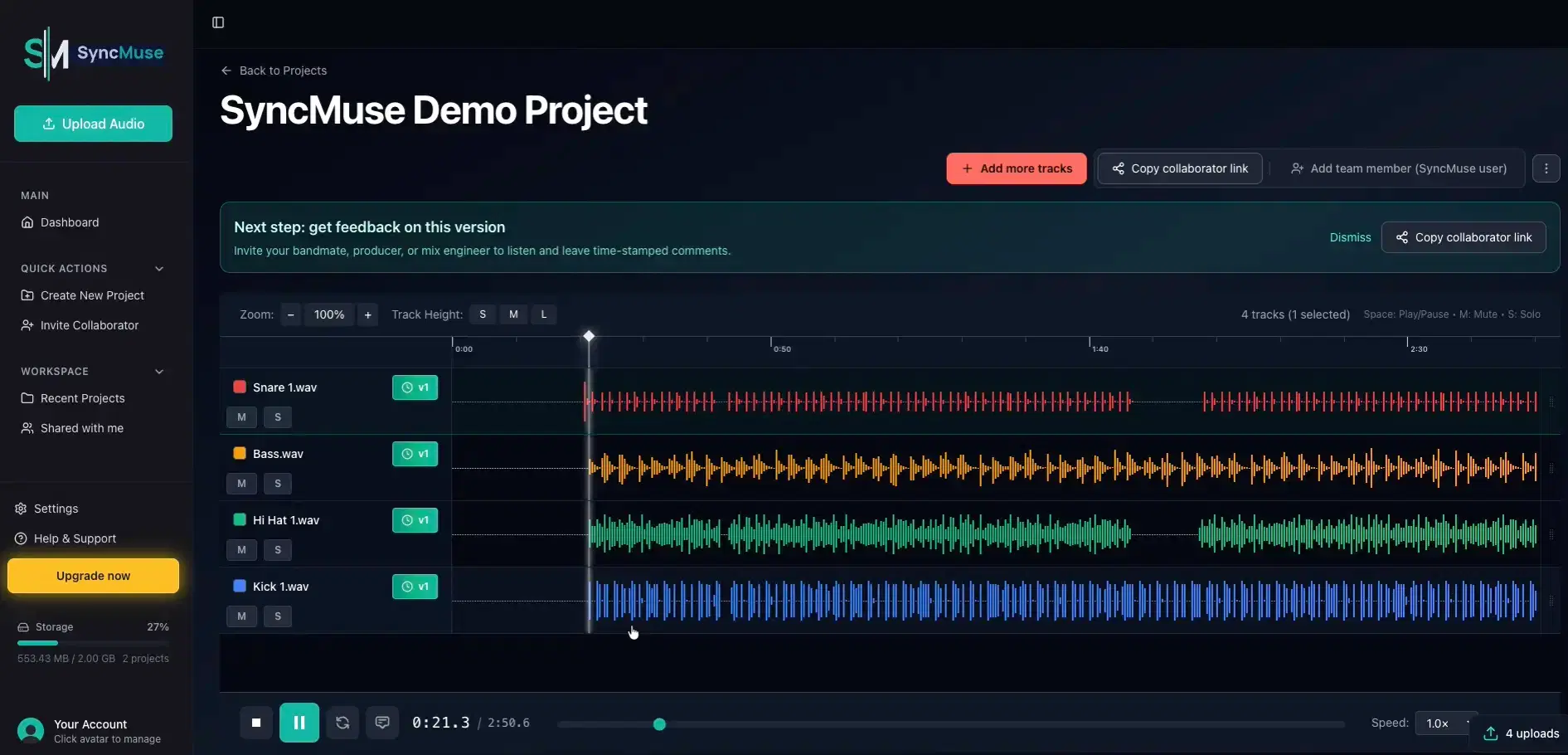
Every bounce tagged with context. Compare any two versions instantly. Never lose track of the good idea buried in your export folder.
Sound familiar?
You exported "track_v3_heavy808s_final" two months ago. Now you're staring at a folder with 12 versions and no idea which one had the thing you liked.
You made a version for a male vocalist, one for female, one with the bridge you weren't sure about. They all sound the same for the first 30 seconds. You have to listen to each one to find it.
Even hit producers dig through export folders on camera trying to find the right version of a hit song. If they can't keep track, what chance do you have?
Context that sticks
Tag every export with notes. "Heavy 808s, female vocal pitch, no bridge." Find it instantly, not by listening to everything.
A/B compare any two versions
Hear the difference between exports without opening 4 Finder windows. Toggle at the same playhead position.
Full version history
Every export lives in a timeline. See what you made, when, and why—even months later.
Send with context attached
Share a link for feedback. The person hearing it sees your notes, not just a filename.
How it works
Export from your DAW
Bounce like you normally do. Drag the file into SyncMuse.
Add context
Tag it with what matters. "Pitched down, heavy drums, no vocals." Takes 10 seconds.
Keep iterating
New version? Upload it. Old versions stay in the timeline, not buried in your folder.
Find it later
Come back in 2 months. A/B compare, read your notes, find the one you wanted.
Questions from producers
Common questions about version control and sharing beats
Ready to eliminate stem chaos?
Join 200+ early adopters who have eliminated stem chaos from their workflow.